Introduction
If you have ever typed “snake” into Google just to see what happens, you already know the punchline: a bright little snake appears at the top of the results, waiting for you to press play. That is Google Snake, Google’s own take on the classic game most of us first met on an old mobile phone, and it is still one of the easiest ways to kill five minutes — or, if you are honest with yourself, closer to fifty.
The reason people search for “google snake unblocked” is almost always the same. They are on a school Chromebook or a work computer, the game will not load, or the usual games sites are blocked, and they want the simple version that lives inside Google itself. The good news is that Google Snake does not need a download, an account, or an app store. In most cases it is already sitting there in the search results, ready to go.
This Google Snake Unblocked guide covers how to find it, how to play it on a computer or a phone, what the controls and game modes actually do, and the habits that turn a quick game into a genuinely high score. It also covers the “unblocked” part properly: what to try when the game will not load on a school or work network, and what not to do. No downloads are needed for any of this, and you will not find a list of mirror sites here — the official game inside Google is the safest and simplest place to play, and that is where we will start.
What Is Google Snake?
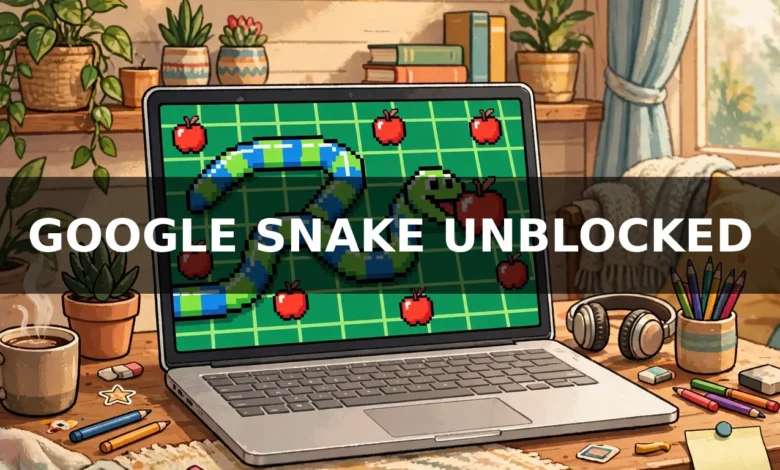
Google Snake Unblocked is a free browser version of the Snake game, built by Google and playable directly from Google Search. You steer a snake around a small grid, eat the food that appears, and grow longer with every bite. The run ends the moment you hit a wall or run into your own tail. That is the whole game, and it is exactly why it works: there is nothing to learn before your first game, but there is plenty to get better at.
The idea itself is much older than Google. Snake-style games were around on early computers and arcade machines, and the version most people remember is the one that came preloaded on Nokia phones in the late 1990s. That little monochrome snake, inching across a tiny screen, turned a phone into a games console years before app stores existed. Google’s version keeps that same core — eat, grow, do not crash — and dresses it up with colour, sound, settings, and a set of game modes that change the rules in interesting ways.
Google first made a playable Snake as an interactive Doodle back in 2013, for the Lunar New Year, the Year of the Snake. A few years later the game was rebuilt as a permanent feature inside Google Search, alongside other small built-in games such as Solitaire and Tic-Tac-Toe. That is why you do not need to install anything. Search for it, press play, and you are in.
One thing worth knowing up front: the game saves nothing to an account and asks for nothing in return. There is no sign-in, no username, and no leaderboard tied to your Google account. Your score lives and dies with that one run, which is part of the charm. Every game starts the same way, with a short snake and an empty board, and the only thing that carries over is whatever you learned last time.
How to Play Google Snake on Google
Playing Google Snake Unblocked takes about ten seconds from a cold start, as long as you know where to look.
On a desktop or laptop, open your browser and go to Google. Type “snake” or “snake game” into the search box and press Enter. A playable game panel should appear at the top of the results, above the normal links, with a clear Play button. Click it and the game starts. If you type “play snake” or “google snake game” you should land on the same panel.
Before your first move, take a second to look at the screen. The snake starts near the middle of the board, and a piece of food — usually a red apple — appears somewhere on the grid. Your only job is to reach it. Each apple you eat makes the snake one segment longer and adds to your score. The snake keeps moving in whatever direction it is already going, so you steer it rather than push it along. If you do nothing, it will carry on straight until it hits something.
On a phone or tablet the process is the same: open Google in your browser, search “snake game”, and tap Play on the panel that appears. The game fills the screen, and instead of a keyboard you swipe in the direction you want the snake to go. A swipe up turns the snake up, a swipe left turns it left, and so on. It feels natural after a game or two, though a keyboard is easier once the snake gets long and fast.
There is a settings gear on the game panel, and it is worth opening before you get too comfortable. It lets you change the speed, the size of the board, the look of the snake, and the game mode. We will come back to each of those, because they change the game more than most people expect. For your very first game, though, the defaults are fine. Classic mode, normal speed, regular board. Learn the steering first, and worry about the rest later.
Google Snake Controls
The controls in Google Snake Unblocked are simple, which is good, because the game gets hard fast enough on its own.
On a computer, you steer with the arrow keys: up, down, left, and right. The W, A, S, and D keys work the same way, which is handy if you are used to them from other games. W is up, S is down, A is left, and D is right. Either set does the job, so use whichever feels natural.
Two things about the steering catch new players out. First, the snake cannot reverse. If it is travelling right and you press left, nothing happens — the game ignores the input rather than letting you turn straight into your own body. That is deliberate, and it saves a lot of runs. Second, the snake moves on a grid, one square at a time, so your turns are always sharp right angles. There is no drifting or curving. You have to think a move or two ahead, especially when the snake is long.
On a phone or tablet, you swipe in the direction you want to go. Short, quick swipes work better than long drags. Some versions of the game also show an on-screen control pad, which you can tap instead of swiping. Either way, the same no-reversing rule applies.
A few extra keys are useful to know. The spacebar usually pauses the game, which is a lifesaver when someone walks over to your desk or the teacher looks your way — the board freezes and your score is kept. Pressing Enter or the spacebar after a game over restarts the run straight away, so you do not have to reach for the mouse. There is also a key to toggle the sound, commonly M, and one to show or hide the timer in some versions. If a shortcut does not work in your browser, the on-screen buttons do the same jobs, so nothing is lost.
The most important control tip is the least exciting one: click the game board once before you start pressing keys. If the browser’s focus is still on the search box, your arrow keys will scroll the page instead of steering the snake. One click on the board fixes that, and it is the cause of most “the controls don’t work” moments.
Game Modes in Google Snake
The classic Google Snake Unblocked game is only the starting point. Open the settings and you will find a list of modes, each of which changes the rules enough to feel like a different game. The exact list can vary — Google has added and adjusted modes over time — but these are the ones players run into most often, and they are worth trying one at a time.
Classic mode is the original. Eat apples, grow longer, avoid the walls and your own tail. Everything else is a twist on this, so if you are new, start here and stay here until you can regularly reach a score you are happy with.
Wall mode adds obstacles to the board. Every time you eat, a small wall appears somewhere on the grid, and those walls stay there. The board slowly fills up, the safe routes get narrower, and the game becomes as much about planning a path as about quick reactions. It punishes greedy play: chasing an apple into a corner you cannot get out of is how most Wall mode runs end.
Portal mode changes what the edges do. Instead of the walls ending your run, the snake passes through one edge and comes out on the opposite side. It sounds forgiving, and in some ways it is, but it also makes the board harder to read. You have to track where the snake will reappear, and a careless exit can put your head right in front of your own tail.
Cheese mode plays with visibility. Parts of the snake become harder to see, or certain segments are safe to pass through, depending on the version you are playing. It forces you to remember where your body is rather than just looking at it, which is a strange skill to build and a fun one once it clicks.
Twin mode gives you two snakes to think about, or swaps the head and tail around after each apple, depending on the version. Either way, the habit you built in Classic mode — knowing exactly where your head is — gets tested hard.
Winged mode makes the food move. Instead of sitting still waiting to be eaten, the apple bounces or drifts around the board, so you are chasing a moving target while your tail grows behind you. It rewards patience: sometimes the best move is to wait for the apple to come to a safe part of the board rather than chasing it into danger.
Peace mode is the relaxed one. In this mode the usual ways to lose are switched off or softened — you can pass through yourself or the edges without the run ending. It is a good place to practise steering, learn the board, or just play without pressure. Do not expect a Peace mode score to mean much next to a Classic score, but that is not really the point of it.
There are usually a few more modes tucked in the same menu, and new ones have appeared over time. The best approach is simple: learn Classic first, then try one new mode per session. Each one teaches you something different about the game, and you will come back to Classic a better player for it.
Settings You Can Change Before You Play
The settings gear in Google Snake Unblocked is easy to ignore and worth opening. Three settings matter most: speed, board size, and food.
Speed is usually offered in three steps, often labelled something like Turtle, Snake, and Rabbit — slow, normal, and fast. Slow is the best place to learn. It gives you time to think, and thinking is what keeps you alive once the snake is long.
Normal is the standard game most people know. Fast is genuinely quick, and it is where the game stops being relaxing and starts being a reflex test. If your scores have stalled, dropping the speed down for a few games and focusing on clean routes is often more useful than grinding away at full speed.
Board size changes how much room you have. A small board fills up quickly and every mistake is punished sooner. A large board gives you space to manoeuvre, but the food can spawn a long way away, so you spend more time travelling. The regular board in the middle is the balanced choice, and it is the one most high-score attempts are played on. If you are practising a new mode, a bigger board makes the learning curve kinder.
Food and appearance settings are mostly cosmetic, but they are fun. You can often switch the apples for other foods, change the snake’s colour, or pick a different theme for the board. None of this changes the score, but a colour scheme you can read at a glance does help. A snake that stands out clearly against the board is easier to track when it is long and looping back on itself. Pick whatever you find easiest to follow, not whatever looks the flashiest.
One more practical note: the game does not always remember your settings between visits, depending on your browser. If your favourite mode is not selected when you come back, a quick trip to the settings gear sorts it out in seconds.
Tips to Get a High Score
A good Google Snake Unblocked score is less about fast fingers than it is about habits. The players who last longest do a handful of simple things consistently, and most of them are easy to copy.
First, slow down — not the game speed, but your decisions. New players steer constantly, flicking the snake left and right in a panic. The snake only needs a new direction when the current one is about to cause a problem. Between turns, let it run straight and use the time to look at where the next apple is and what your tail is doing. Calm steering beats busy steering almost every time.
Second, protect your tail. The tail is the thing that kills you, not the walls, once you know the board. Before you turn, check that you are not cutting across your own body. A useful habit is to keep the snake moving in wide loops around the edges of the board rather than zig-zagging through the middle. The middle is where your body piles up and the escape routes disappear. The edges are predictable: you know exactly where the wall is, and you can plan around it.
Third, think about the apple after the one you are chasing. When you eat, a new apple appears somewhere else, and the snake is one segment longer. If you grab an apple in a corner with no exit, the next few seconds are spent trying to escape your own body. Sometimes it is better to approach an apple from the side that leaves you pointing towards open space. It feels slow at first, but it is the difference between a score of 15 and a score of 40.
Fourth, use the whole board. Beginners tend to stay in one area, circling the same patch of grid. That works until the snake fills that patch and there is nowhere left to go. Sweeping across the board in long, even passes keeps the snake stretched out and gives you room to turn. Picture mowing a lawn in neat rows: it is not exciting, but it is very effective, and it is the basic pattern behind most long runs.
Fifth, do not chase an apple into a trap. If the apple is sitting in a tight pocket formed by your own tail, leave it. Circle the board, let your tail shift, and come back when the pocket has opened up. The apple is not going anywhere. Your run, on the other hand, ends the moment you get greedy.
Sixth, practise on a slow speed with a clear goal. Instead of playing game after game at full speed, set the speed low and aim for a specific target — say, twenty apples without a single panicked turn. Once you can do that comfortably, raise the speed or shrink the board. Small, deliberate practice improves your score faster than dozens of rushed games.
Finally, accept that the game gets harder as you play. The snake grows with every apple, so the board effectively shrinks around you. A score that felt easy at the start of a run feels very different thirty apples in. That is normal. The best runs are the ones where you recognise the moment the game changes — usually when your tail starts crossing the middle of the board — and tighten up your play instead of carrying on as if nothing has changed.
How to Play Google Snake Unblocked at School or Work
This is the part most people actually came for, so let us be straightforward about it.
In most cases, Google Snake Unblocked is not blocked at all. Because it lives inside Google Search, it loads on the same page as ordinary search results, and school and work filters that block games websites often leave Google itself alone. That is the whole trick: you are not visiting a games site, you are using Google, and the game is just part of the page. So the first thing to try is always the official route — search “snake game” on Google and press Play. On many school Chromebooks and office computers, that is all it takes.
If the game panel does not appear, or it appears but will not start, there are a few honest things to check before looking elsewhere.
First, make sure you are searching on Google itself and not in a browser address bar that sends you to a different search engine. Second, try a different search phrase: “snake”, “play snake”, and “google snake game” can surface the panel slightly differently. Third, check whether you are signed into a school or work Google account with SafeSearch or restricted mode turned on, as some managed accounts hide interactive results. Searching while signed out, if your school allows it, sometimes shows the panel where a managed account does not.
If the game still will not load, the problem is usually the network, not the game. Some schools and workplaces block the scripts that interactive search results need, or they block browser games as a category. In that case, a page refresh and a different browser are worth trying — if your computer has more than one browser installed, one of them may handle the page better. Clearing the browser cache can also help if the game loaded once and then stopped working, since a half-saved copy of the page can get stuck.
What you will also find, if you search for unblocked versions, is a large number of copycat sites offering their own Snake games, often with “unblocked” in the name. These are not Google’s game, even when they look similar, and they vary wildly in quality.
Some are harmless recreations. Others are packed with ads, pop-ups, or download prompts that have nothing to do with Snake. As a general rule, do not download anything to play a browser game, do not install an extension that promises to unblock games, and do not enter any personal details on a games site. A game that asks for a download or a sign-up is not worth your time, and on a school or work computer it can also get you into trouble with whoever manages the network.
That last point matters. School and workplace networks have rules for a reason, and getting around a filter is not the same as the game being allowed. A quick game during a break is one thing; installing software or using workarounds to bypass your school’s or employer’s controls is another, and it can have real consequences. If games are blocked on your network, the sensible move is to play on your own device, on your own connection, outside school or work hours. The game will still be there, and your score will be just as good.
The safest summary is this: try Google first, because it usually works and it is the real game. If it does not work on that network, play it later on a network you control. There is no version of Snake worth risking your school account or your work computer over.
Troubleshooting: When Google Snake Will Not Load or Play
Most Google Snake Unblocked problems have boring causes, which is good news, because boring causes have quick fixes.
If the game panel does not show up at all, check your search first. The panel appears for searches like “snake” or “snake game” on Google, but not every search engine shows it, and not every results page includes it. Make sure you are on Google itself, try the search again, and give the page a moment to load — the interactive panel can take a second longer than the plain text results.
If the panel appears but the game will not start, click the Play button once and wait. Clicking it repeatedly can confuse things. If nothing happens, refresh the page and try again. A refresh also fixes the common case where the game loaded halfway and the snake will not move.
If the snake will not move when you press the keys, the cause is almost always focus. Click once on the game board itself, then try the arrow keys again. If the page scrolls instead of the snake turning, your key presses are going to the page, not the game, and that single click is the fix. Also check that another window or tab is not stealing the focus, and that Caps Lock or a stuck key is not interfering — it happens more often than people admit.
If the game is slow or stutters, close a few tabs. Browser games share your computer’s memory with everything else you have open, and a dozen video tabs will make even a simple game feel sluggish. Turning off other extensions for a moment can help too. On an older Chromebook, the small board and slow speed settings will run more smoothly than the large board at full speed.
On a phone, the most common issue is accidental swipes. If the snake turns when you meant to scroll, or scrolls when you meant to turn, make sure you are swiping on the game board itself and not on the page around it. Short, deliberate swipes are more reliable than long ones. If the game is too small to control comfortably, turning the phone sideways sometimes gives the board more room.
Finally, if the game used to work and suddenly does not, it may be a temporary issue on Google’s side or a change in your network’s settings. Try again later before assuming something is broken. And if you are on a school or work network, remember the section above: some networks block interactive search results outright, and no amount of refreshing will change that. Play it on your own connection instead.
Frequently Asked Questions
Is Google Snake free to play?
Yes. Google Snake Unblocked is completely free. There is no purchase, no subscription, and no account needed. You search for it on Google, press Play, and play. If a site asks you to pay or sign up to play “Google Snake”, it is not the official game.
Can I play Google Snake on my phone?
Yes. Search “snake game” on Google in your phone’s browser and tap Play on the panel that appears. You steer by swiping in the direction you want the snake to go. It works on both Android and iPhone, and you do not need to install an app.
Do I need to download anything to play Google Snake?
No. The game runs entirely in your browser. There is nothing to download or install, and you should be cautious of any site that tells you otherwise. A download prompt attached to a Snake game is a warning sign, not a requirement.
Why is Google Snake blocked at my school?
Some schools and workplaces block browser games or the interactive parts of search results, even when Google itself is allowed. It usually is not personal — the filter is set for the whole network. The official game often still works because it sits inside Google Search, but if your network blocks it, the practical answer is to play on your own device and your own connection outside school or work hours.
What is the highest score in Google Snake?
There is no single official high score, because the game does not keep a public leaderboard and the score depends on the settings — board size, speed, and mode all change what is possible. On the regular board in Classic mode, a score in the twenties is a solid result for a casual player, and anything past fifty takes real practice. The number that matters is your own best, and beating it by a few apples is a good day’s work.
Can I play Google Snake offline?
Not in the usual way. The game loads from Google Search, so you need an internet connection to open it. Some browsers can keep a loaded page working briefly if the connection drops, but you should not count on it. If you want a Snake game you can play without internet, your phone’s app store will have offline versions — just be aware those are separate games, not Google’s.
Conclusion
Google Snake Unblocked is a small game that has survived for a reason. It asks for nothing — no download, no account, no money — and gives back a clean, honest challenge: eat, grow, do not crash. Finding it takes one search, learning it takes one game, and getting good at it takes the kind of patient practice that is quietly satisfying in a way most modern games are not.
If you only remember three things, make them these. Play the official game inside Google Search, because it is free, safe, and usually unblocked. Learn the steering before you worry about modes and settings, because clean, calm movement is what keeps you alive. And when the game will not load on a school or work network, do not go chasing mirror sites and downloads — play it later, on your own connection, where it works properly.
Now go and beat your best score. Just one more game. That is how it starts, and you already know how it ends.
Read Also: Fire Red Elite Four: How to Beat Them and Become Champion