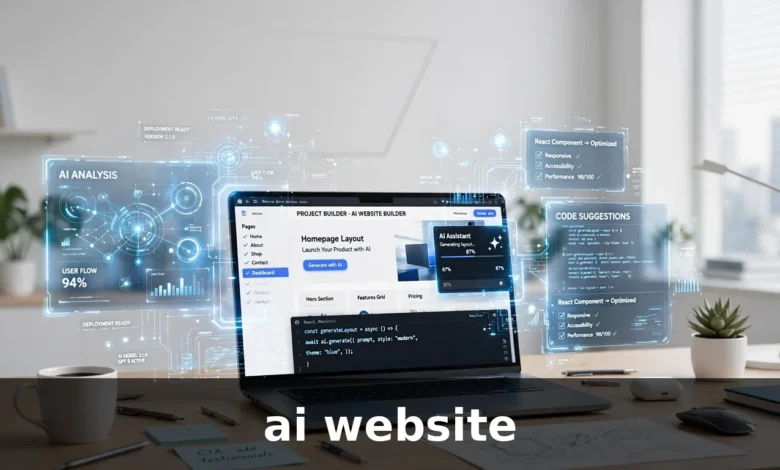
What Is an AI Website?
An AI website is a website that involves artificial intelligence in one of two ways. Sometimes it means a website that was built with the help of AI tools. Other times it means a website that uses AI features to serve its visitors, such as a chatbot that answers questions or a search box that understands plain language. Many sites do both at once.
If you searched for “ai website” because you want to build one, you probably mean the first kind. If you searched because you keep hearing the term and want to know what it actually covers, you need both meanings. This guide covers both, so you can tell the difference and decide what you actually need.
At its simplest, an AI website is still a normal website. It has pages, text, images, links, and a design. The difference is how those pieces were made or how they behave. AI can help create the layout, write a first draft of the text, pick images, or respond to visitors in real time. None of that changes the basics: a good website still needs clear information, honest content, and a reason for someone to stay.
How AI Websites Work
An AI website works by using trained software models to handle tasks that a person would otherwise do by hand. When you type a short description of the business or topic you want, an AI website builder turns that description into a draft site. It picks a layout, writes headings and paragraphs, and suggests images that match the topic. You then edit the result until it sounds right.
On the visitor side, AI features work in a similar way. A chatbot on a website reads what a visitor types, matches it to the closest topic it knows about, and gives an answer. A recommendation tool looks at what a visitor clicked on and suggests related pages or products. A search tool tries to understand the meaning of a query instead of only matching exact words.
Behind the scenes, these tools rely on patterns learned from large amounts of text and other data. They do not understand your business the way you do. They predict what a good answer or a good layout probably looks like, based on examples they have seen before. That is why the output often looks polished at first glance but needs a human to check the facts, fix the tone, and remove anything that does not fit.
The Two Meanings, Side by Side
People use the phrase “AI website” loosely, so it helps to separate the two uses. A website built with AI is about the creation process. The AI helped make it, but the finished site may look and behave like any other site. A website that uses AI is about the visitor experience. The site itself may have been built the traditional way, but it includes features that respond, adapt, or personalize content while someone browses.
Confusing the two leads to bad decisions. Someone who wants a chatbot does not necessarily need an AI builder. Someone who wants a quick first draft does not need a chatbot. Before you spend time or money, decide which of the two you actually want, because the tools, costs, and work involved are different.
Types of AI Websites
Not every AI website works the same way. The term covers several different kinds of sites, and each one suits a different goal.
AI Website Builders
An AI website builder creates a draft website from a short prompt. You describe what the site is for, and the tool produces a layout, text, and images. This type suits people who need a simple site quickly, such as a portfolio, a small business page, or a landing page for an idea they want to test. The draft is a starting point, not a finished product. You still need to check every page, rewrite anything that sounds generic, and add the details only you know.
Websites With AI Chatbots
Some websites add a chatbot that answers common questions. A visitor can ask about opening hours, prices, delivery, or how a service works, and get an instant reply. This works well when the same questions come up again and again. It works badly when the chatbot guesses instead of saying it does not know. A good chatbot gives clear answers, admits its limits, and makes it easy to reach a real person.
AI Content Websites
An AI content website is a site whose articles or pages were written with AI assistance. Some publishers use AI to draft articles, then edit them heavily before publishing. The risk here is obvious: unedited AI text often reads flat, repeats itself, and sometimes states things that are not true. A content site only works if a human checks the facts and shapes the writing into something genuinely useful.
AI Tool Websites
An AI tool website offers an AI feature as its main service. Examples include sites that rewrite text, remove image backgrounds, turn text into speech, or generate summaries. The AI is the product here, not just a helper. Visitors come to use the tool, so the site needs to make the tool easy to find, explain what it does in plain words, and set honest expectations about what it can and cannot do.
Websites With AI Personalization
Some larger sites use AI to change what a visitor sees. A returning visitor might see different recommendations, or a homepage might rearrange itself based on what that person clicked before. This kind of AI website needs enough visitor data to work well, so it suits established sites more than brand-new ones. For a small site, personalization usually adds complexity without adding much value.
Benefits of an AI Website
The main benefit of an AI website is speed. A builder can produce a first draft in minutes, while building the same pages by hand would take hours or days. That speed matters when you want to test an idea, launch a simple page, or get something online while you refine it.
Cost is another benefit. Hiring a designer and a writer for every page costs real money. AI tools can reduce that cost for the early draft, which leaves more budget for the parts that matter most, such as good photos, accurate content, and a proper review.
AI also helps people who are not confident writers or designers. A blank page is hard to start from. A draft gives you something to react to, and editing is easier than writing from nothing. For many small business owners, that is the real value: the tool gets them started.
For visitors, the benefit is convenience. A chatbot can answer a simple question at midnight. A good search tool can find the right page even when the visitor does not know the exact words. A recommendation feature can surface a useful article the visitor would not have found on their own. These small conveniences add up when they work well.
Limitations of an AI Website
Speed comes with trade-offs, and it helps to know them before you rely on an AI website for anything important.
First, AI output is often generic. Builders tend to produce the same layouts, the same headings, and the same safe phrases for everyone. A site built entirely from AI drafts can look fine and still say nothing memorable. If every competitor uses the same kind of tool, the sites start to look alike.
Second, AI can get facts wrong. A builder may invent a service you do not offer, a price you never set, or a claim about your business that is simply not true. A chatbot can give a confident answer that is wrong. This is the biggest risk, because visitors will blame you, not the tool. Every fact on an AI-built site needs a human check.
Third, AI does not know your customers. It does not know what they worry about, what language they use, or what convinced your last ten customers to buy. Content that ignores those details feels distant, even when the grammar is perfect.
Fourth, an AI website still needs maintenance. Pages need updates, links break, and information goes out of date. AI can help with the first draft, but it does not run the site for you. Someone still has to keep it accurate.
Finally, there is a trust question. Visitors can often tell when a site was written by a machine and never reviewed. Thin, repetitive pages push people away. Search engines also reward pages that show real experience and useful detail, which is exactly what unedited AI content usually lacks.
AI-Built vs Traditionally Built Website
| Feature | AI-Built Website | Traditionally Built Website |
|---|---|---|
| First draft speed | Minutes | Days or weeks |
| Upfront cost | Usually lower | Usually higher |
| Originality | Often generic | Depends on the team |
| Fact accuracy | Needs human checking | Checked during creation |
| Design uniqueness | Often template-like | Can be fully custom |
| Ongoing editing | Still needed | Still needed |
| Best for | Simple sites and quick drafts | Complex or high-stakes sites |
The table makes the trade-off clear. AI wins on speed and cost. A traditional build wins on accuracy, originality, and control. Most real projects land somewhere in between: AI for the first draft, a human for the decisions that matter.
How to Create an AI Website Step by Step
Creating an AI website is straightforward, but each step needs your attention. Skipping the review steps is how bad sites get published.
Step 1: Decide What the Site Is For
Write down the purpose of the site in one or two sentences. Is it meant to bring in customers, explain a service, share information, or sell something? Also write down who the visitors are. A site for local customers needs different content from a site for readers across the country. If you cannot state the purpose clearly, the AI tool cannot guess it for you.
Step 2: Gather Your Real Information
Before you open any AI tool, collect the facts the site must get right: your services, prices, location, contact details, opening hours, and anything else a visitor needs. Write them in plain words. The AI tool will use what you give it, so vague input produces vague output. Good input is the single biggest factor in getting a good draft.
Step 3: Pick the Right Kind of Tool
Choose a tool that matches your goal. If you need a whole site fast, use an AI website builder. If you already have a site and only want a chatbot, add a chatbot tool instead. If you need help writing, use a writing assistant and paste the result into your own site. Using the wrong tool for the job wastes time and produces a poor result.
Step 4: Generate the First Draft
Give the tool a clear, specific description of what you want. Mention the audience, the tone, and the main pages you need. A prompt like “a website for a local bakery that sells bread and cakes, friendly tone, pages for menu, about, and contact” will produce a better draft than “a bakery website.” Keep the prompt short, but include the details that matter.
Step 5: Review Every Page
Read the draft page by page. Check every fact against the information you gathered in step 2. Remove anything that is wrong, exaggerated, or irrelevant. Rewrite headings that sound generic. Add the details only you can provide, such as how long you have been in business, what makes your service different, or a real example from your work. This step takes the most time, and it is the step that makes the site yours.
Step 6: Fix the Design
Look at the site the way a visitor would. Is the text easy to read? Are the buttons clear? Does the homepage say what you do within a few seconds? Replace any image that does not fit, and make sure the site works well on a phone, since many visitors will open it there first. A clean, simple design beats a busy one.
Step 7: Add the Essentials
Make sure the site has a contact page or contact details, a clear description of what you offer, and pages that answer the questions visitors actually ask. Set a proper title and description for each page so search engines and social shares show something sensible. Check that links work and that forms send messages to the right place.
Step 8: Publish and Keep Improving
Publish the site, then treat it as a work in progress. Watch which pages visitors read, note the questions they ask, and update the content when facts change. A site that improves a little each month will outperform a site that was published once and forgotten.
What to Check Before Trusting an AI-Built Site
Whether you built the site yourself or someone built it for you, run through these checks before you trust it with real visitors.
Check the facts first. Read every claim about your business, your prices, and your services. If a sentence makes a promise you cannot keep, remove it. If a page mentions a service you do not offer, delete it. One wrong fact on a homepage can cost more trust than a dozen good pages can rebuild.
Check the contact details. Make sure the phone number, email address, and location are correct, and test any form yourself. A visitor who cannot reach you will simply leave.
Check the tone. Does the site sound like your business, or does it sound like every other site in your field? Replace stock phrases with words you would actually use when talking to a customer. Small changes in wording make a site feel real.
Check for repetition. AI drafts often say the same thing in three different ways on the same page. Cut the repeats. Shorter pages with one clear point each read better than long pages that circle the same idea.
Check the site on a phone. Open the homepage, tap the menu, and try to find your contact details. If anything is hard to read or hard to tap, fix it before you publish.
Finally, ask someone else to read it. A fresh pair of eyes catches mistakes you have stopped seeing, and a friend can tell you honestly whether the site makes sense to a stranger.
Common Mistakes With AI Websites
The most common mistake is publishing the first draft without editing it. AI output looks finished, which makes it tempting to skip the review. The result is a site full of small errors, generic wording, and claims nobody checked. Editing is not optional.
Another mistake is letting AI write about things it cannot know. If the tool invents customer stories, awards, or statistics, those are not harmless filler. They are false claims on your site, and they can damage your reputation if anyone checks.
People also make the mistake of adding AI features nobody asked for. A chatbot that interrupts every visitor, or a pop-up that appears before anyone has read a word, annoys more people than it helps. Add features that solve a real problem for your visitors, and leave out the rest.
A fourth mistake is treating the site as finished. Websites go stale quickly. Prices change, services change, and old pages stop matching what you actually do. A site that was accurate in January can be misleading by June. Set a habit of reviewing your pages every few months.
Finally, some people rely on AI for everything and stop adding their own knowledge. The most useful pages on any site are the ones that share real experience: how you solve a problem, what you learned from a real job, or what to watch out for. AI cannot write those pages for you. That is your advantage, so use it.
Frequently Asked Questions About AI Websites
What is an AI website in simple terms?
An AI website is a website that was built with the help of AI tools, or a website that uses AI features such as a chatbot or smart search. In simple terms, AI either helped make the site or helps the site respond to visitors. Many AI websites do both.
Can I build an AI website for free?
Many AI website builders offer a free plan or a free trial, but free plans usually come with limits, such as a branded subdomain, limited pages, or fewer features. For a serious business site, expect to pay for a plan that lets you use your own domain and remove those limits. Check what each plan includes before you commit.
Are AI websites good for SEO?
An AI website can rank well, but the tool alone does not guarantee it. Search engines reward pages that are accurate, useful, and written with real experience. A site made of unedited AI drafts usually performs poorly, while a site where AI drafts were carefully reviewed, corrected, and improved can perform just as well as a traditionally built one. The editing matters more than the tool.
Do I need coding skills to make an AI website?
No. AI website builders are made for people without coding skills. You describe what you want, and the tool builds a draft you can edit with a visual editor. You will still need to write or check the content, but you do not need to write code.
Can an AI website replace a web designer?
For a simple site, an AI builder can replace much of the early work. For a complex site, a custom design, or a site where brand and trust matter a lot, a designer still adds real value. Many people use both: AI for the first draft, a designer for the polish and the parts that need judgment.
How do I know if an AI website is trustworthy?
Look for signs of human review. A trustworthy site has accurate contact details, specific information about the business, clear answers to real questions, and no invented claims. If a site is vague, repeats itself, or makes promises that sound too good, treat it with caution. The same checks apply to any website, AI-built or not.
Conclusion
An AI website is a practical tool, not a shortcut to a good website. It can build a first draft in minutes, answer simple questions around the clock, and help people who are not designers or writers get started. What it cannot do is know your business, check your facts, or earn your visitors’ trust. Those parts still belong to you.
If you use AI well, the process is simple: decide what the site is for, give the tool good information, review every page carefully, and keep improving the site after it goes live. Do that, and an AI website can save you time without costing you credibility. Skip the review, and the speed is not worth much.
Read Also: Mission US: The Free History Game Explained (2026 Guide)